
Change Gmail Address: Google Plans Surprise Gmail Address Update For All Users
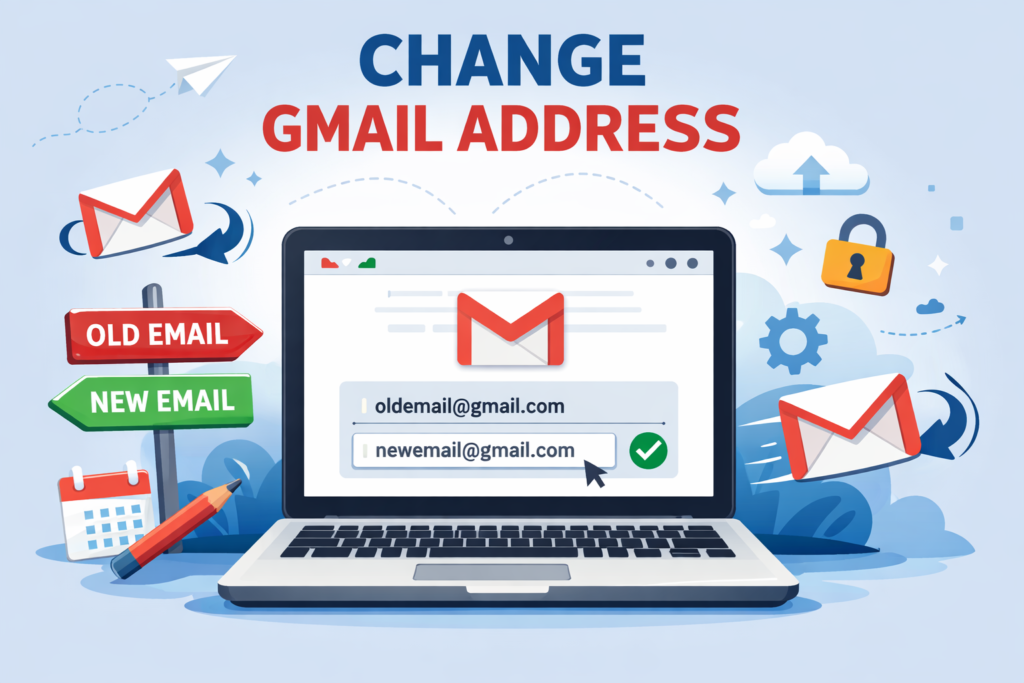
In the ever-evolving world of digital communication, Gmail has remained a cornerstone for billions of users worldwide. For years, one of the most requested features has been the ability to change Gmail address without the hassle of creating an entirely new account. Imagine ditching that embarrassing username you picked as a teenager while keeping all your emails, contacts, and Google services intact. Well, the wait is over. Google has announced a surprise update that allows users to change their Gmail address, marking a significant shift in how we manage our online identities. This article dives deep into everything you need to know about this groundbreaking change, from how it works to its implications for your daily digital life.
As of late 2025, Google is rolling out this feature gradually, starting with select users and expanding to all. This update comes at a time when privacy, personalization, and user control are more important than ever. Whether you’re looking to rebrand your professional image or simply update your email to something more modern, this Gmail address update promises to make the process seamless. We’ll explore the steps involved, potential limitations, and tips to optimize your new address for better SEO and online presence.
What Is the Gmail Address Change Update?
The change Gmail address feature is Google’s response to long-standing user feedback. For over two decades, Gmail users have been stuck with their initial email choices, often leading to regrets. According to recent reports, Google is now allowing users to swap their @gmail.com address while retaining all data associated with the account. This includes emails, Google Drive files, YouTube subscriptions, and more.



This surprise update was leaked through a Google support document and confirmed by major outlets. It’s designed to give users flexibility without disrupting their digital ecosystem. Unlike creating a new account and forwarding emails, this method ensures a smooth transition. Users can log in with either the old or new address, providing a safety net during the switch.
Why now? In 2025, with increasing focus on digital wellness and identity management, Google aims to empower users. This move aligns with broader trends in tech, where companies like Microsoft and Apple have offered similar email alias features for years. By enabling change Gmail address, Google is catching up and potentially setting a new standard for email services.
The update is being rolled out in phases. Initially available to users in certain regions, it’s expected to reach all global users by early 2026. If you’re eager to update your Gmail address, keep an eye on your account settings for the option to appear.
How to Change Your Gmail Address: Step-by-Step Guide
Changing your Gmail address is straightforward once the feature is available in your account. Here’s a detailed guide to help you navigate the process:
1. Log into Your Gmail Account: Start by signing in to your existing Gmail account via a web browser or the Gmail app. Ensure you’re using a secure connection to protect your data.
2. Access Account Settings: Click on your profile picture in the top right corner and select “Manage your Google Account.” This takes you to the central hub for all Google services.
3. Navigate to Personal Info: In the left sidebar, click on “Personal info.” Here, you’ll find details like your name, birthday, and email addresses.
4. Find the Email Section: Scroll to the “Contact info” area and select “Email.” If the update is rolled out to you, you’ll see an option labeled “Change Gmail address” or similar.
5. Choose a New Address: Enter your desired new username. Google will check availability in real-time. Remember, popular names might be taken, so get creative but keep it professional.
6. Verify and Confirm: You’ll need to verify your identity, possibly through a phone number or security questions. Once confirmed, the change takes effect immediately.
7. Update Connected Services: While Google handles most integrations, double-check third-party apps or websites linked to your old email. Update them manually if needed.
This process ensures minimal downtime. Emails sent to your old address will still arrive in your inbox, thanks to Google’s forwarding mechanism. However, for optimal SEO and branding, start using your new address right away.
If the feature isn’t available yet, you can enable it by joining Google’s beta programs or checking for updates in your account notifications. Patience is key as the rollout continues.
Benefits of Changing Your Gmail Address
The ability to change Gmail address offers numerous advantages, making it a game-changer for personal and professional use:
Enhanced Privacy and Security: If your old email has been compromised or is too public, a new address provides a fresh start. It reduces spam and phishing risks associated with outdated credentials.
Professional Rebranding: Professionals can align their email with their current brand or career. For instance, switching from “coolkid2000@gmail.com” to “johnsmithprofessional@gmail.com” boosts credibility.
Improved Organization: A new address can help segment personal and work communications, especially if you use Google Workspace integrations.
SEO Optimization: For bloggers and website owners, a clean, keyword-rich email can improve online visibility. Use your new address in bios, contact pages, and newsletters to enhance search rankings for terms like “change Gmail address.”
Digital Declutter: This update encourages users to review and organize their digital life, leading to better productivity.
Moreover, since the change doesn’t erase data, you avoid the tedious task of migrating information. This seamless integration saves time and reduces frustration, aligning with Google’s user-centric philosophy.
Limitations and Considerations When Changing Gmail Address
While exciting, the Gmail address update comes with some caveats to ensure fair use and system stability:
Frequency Limits: Users can only change their address once every 12 months, with a lifetime cap of three changes per account. This prevents abuse and maintains email integrity.
Availability Issues: Not all usernames are available. Reserved names or those violating Google’s policies (e.g., offensive terms) won’t be approved.
Regional Rollout: The feature is launching in waves, starting with users in India and other select markets. Global access is slated for 2026.
Impact on Third-Party Services: Some apps might not recognize the new address immediately. Test logins for banking, social media, and e-commerce sites post-change.
Irreversibility: Once changed, your old address becomes inactive for new sign-ups but remains functional for receiving emails. Reverting isn’t straightforward, so choose wisely.
Consider these factors to avoid regrets. If you’re unsure, start with Google’s alias feature (+tag) as a temporary solution before committing to a full change Gmail address.
Alternatives to Changing Your Gmail Address
If the update hasn’t reached you yet or you prefer not to alter your primary account, here are viable alternatives:
Use Gmail Aliases: Add a plus sign and tag to your existing address (e.g., username+work@gmail.com). This filters emails without a full change.
Create a New Account: Set up a fresh Gmail and use import tools to transfer data. Enable forwarding from old to new for continuity.
Custom Domain with Google Workspace: For businesses, purchase a domain and use Gmail’s backend. This gives a professional address like info@yourdomain.com.
Third-Party Email Providers: Services like ProtonMail or Outlook offer flexible addressing with strong privacy features.
Email Forwarding Services: Tools like Forward Email or ImprovMX can redirect mail to your Gmail without changing the visible address.
These options provide flexibility while you await the official Gmail address update. Each has pros and cons, so evaluate based on your needs.
SEO Tips for Your New Gmail Address
Leveraging your new email for SEO can amplify its benefits. Here’s how:
Incorporate Keywords: Choose a username with relevant terms, like “seowriterjohn@gmail.com” if you’re in digital marketing.
Update Online Profiles: Change your email on LinkedIn, Twitter, and websites. This signals consistency to search engines.
Use in Content Marketing: Include your new address in blog footers, email signatures, and newsletters to build backlinks indirectly.
Monitor Analytics: Track how the change affects traffic using Google Analytics. Adjust strategies for terms like “change Gmail address.”
Avoid Spam Practices: Ensure your communications comply with CAN-SPAM laws to maintain domain reputation.
By optimizing, your change Gmail address becomes a tool for better online discoverability.
Common Questions About the Gmail Address Change
Is the change free? Yes, it’s included in your standard Gmail account at no extra cost.
Will I lose my emails? No, all data remains intact.
How long does it take? The process is instant, but propagation across services might take a few hours.
Can I change to a non-Gmail domain? No, this is limited to @gmail.com addresses.
What if my desired address is taken? Try variations with numbers or underscores.
These FAQs address common concerns, helping you make an informed decision.
The Future of Email Management with Google
This Gmail address update is just the beginning. Google hints at more features, like AI-assisted address suggestions and enhanced security protocols. As we move into 2026, expect integrations with Gemini AI for smarter email handling.
In conclusion, the ability to change Gmail address empowers users like never before. Whether for personal refresh or professional polish, this surprise update from Google is a welcome evolution. Stay updated through your account notifications and embrace the change for a better digital experience.